One governed ledger
Connect supported journals, receivables, payables, banking, and reporting around one controlled accounting source.
Accounting
Ledger · Receivables · Payables · Reporting
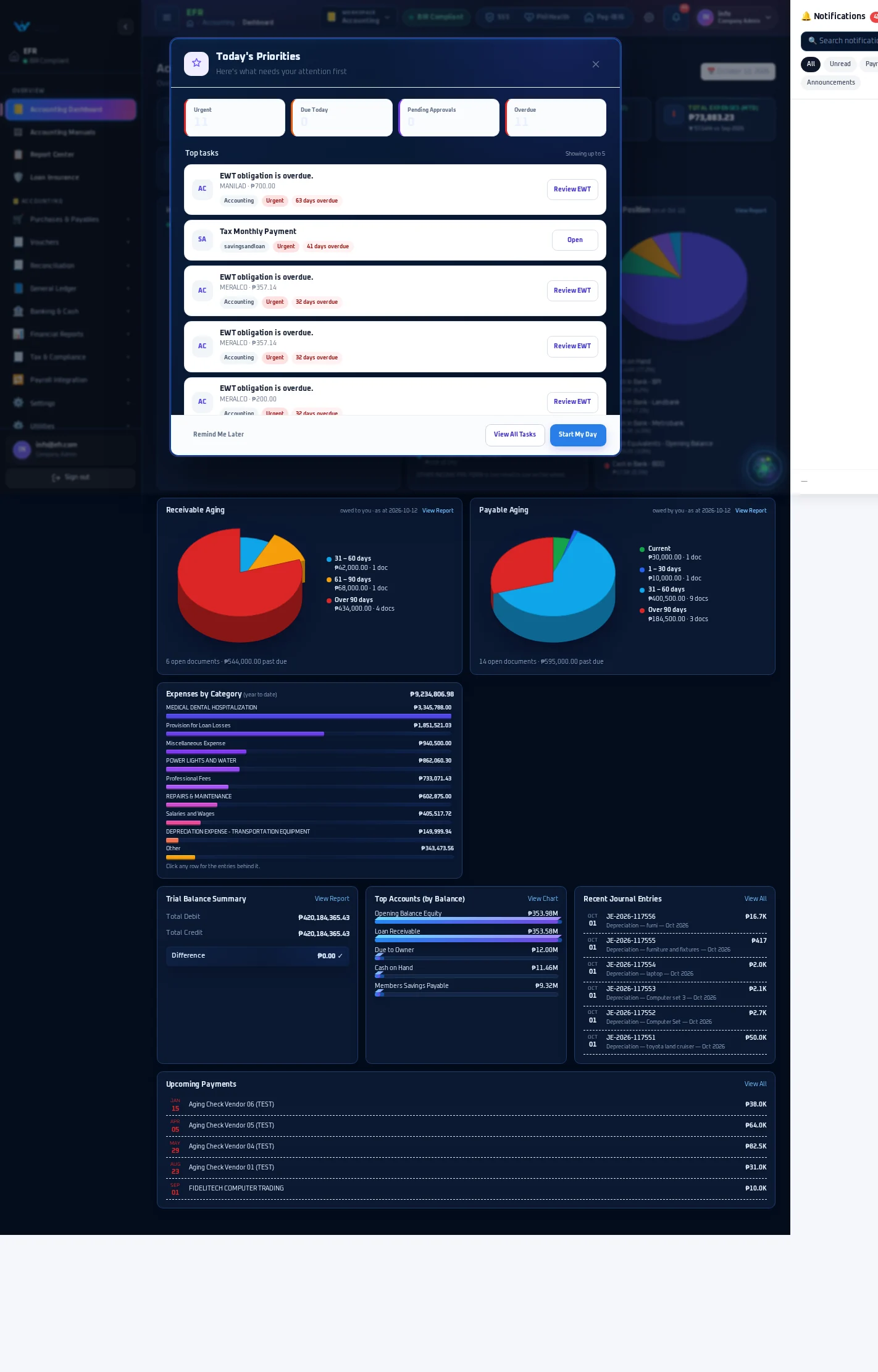
Connect journals, receivables, payables, banking, tax records, approvals, and financial statements in one governed accounting workspace.
Ready for review
Journal batch6 entries checkedSource recordsCapture with context
ReviewValidate and classify
ApprovalApply authority
Post & reportKeep books traceable
Connected financial operations
Connect supported journals, receivables, payables, banking, and reporting around one controlled accounting source.
Keep preparation, review, approval, posting, and reversal responsibilities visible and permission-aware.
Coordinate supported bank reconciliation, cash positions, collections, and payment records.
Prepare financial and tax reports from the configured books, periods, mappings, and approved entries.
Bring authorized records from supported WorkVia workflows into the appropriate accounting process.
Core accounting workspace
Organize accounts, journal entries, periods, and approved posting activity.
Prepare, review, approve, and release supported voucher records through controlled stages.
Track supported customer balances, invoices, collections, and aging context.
Coordinate supported vendors, obligations, purchase records, and payment preparation.
Compare supported bank activity with recorded transactions and documented adjustments.
Prepare trial balance, income statement, balance sheet, and cash-flow reporting views.
Maintain supported tax context and reports based on configured rules and reviewed source data.
Use accounting periods and controlled close activities to protect finalized reporting windows.
Keep supported financial actions, statuses, approvals, and source records traceable.
A closer look
Control by design
Record the supported source, counterparty, account context, amount, date, and supporting information.
Check classification, period, branch or company scope, tax context, balances, and supporting records.
An assigned approver reviews the prepared record without replacing the preparer’s responsibility.
Complete the separately authorized posting, release, payment, reporting, or reversal step.
Exact stages depend on the configured workflow and permissions. Approval does not automatically release money or bypass posting controls.
Financial reporting
Review debit and credit totals before relying on downstream statements.
Review configured revenue and expense activity for the selected period.
Review configured assets, liabilities, and equity at the reporting date.
Review supported operating, investing, and financing cash-flow context.
Accountable access

Prepare supported source records, vouchers, reconciliations, and schedules for review.

Review supporting records and approve only within assigned financial authority.

Monitor balances, periods, exceptions, and reviewable financial reporting context.

Manage approved access and review available history without bypassing operating controls.
Frequently asked questions
No. WorkVia does not replace professional accounting or tax advice. Correct treatment still depends on accurate records, approved configuration, current requirements, and qualified professional review.
No. Preparation, review, approval, release or payment, posting, and reversal remain separate responsibilities according to the configured workflow and permissions.
Supported WorkVia workflows can provide authorized source records or operational context. Accounting validation, classification, approval, and posting controls remain within the accounting process.
The product supports configured financial and tax reporting views. Availability and correctness depend on the selected plan, account mappings, periods, source records, approved entries, and maintained settings.
Supported opening records and reference data can be assessed for migration. Scope, balances, cutover date, source quality, approvals, and reconciliation requirements must be agreed before any production migration.
Ready to review your accounting workflow?